top of page

Slash Decal
Breakdown


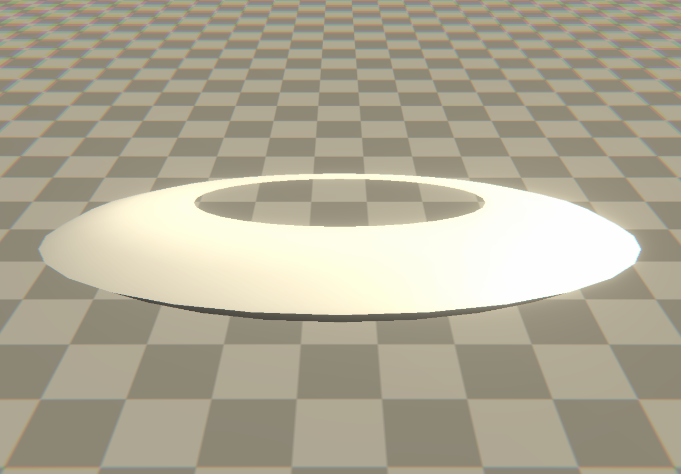


Base Mesh
1
Torus modeled in Blender from a cylinder
Sample scene color and distort UVs using noise
3
Base Color
4
Highlights
5
Decals

6
Animation
The slash can follow any path/shape but make sure the UVs are properly unwrapped in the orientation you want the swipe to follow!
2
Distortion

Use noise & a trail mask to color edge of torus
*Mask drawn in Photoshop
Sample decal texture via object space coordinates, add to alpha channel
Decal map created in Illustrator


7
Particles
Glint at impact
Sparks
Particle trail
Final Effect

bottom of page